Sections
On this page
Use cases
Artifactory on real tasks: an agent's benchmark in a task, a designer's mock-ups, an incident log a month later, a new version of the requirements, files between harness steps and quota cleanup.
1. An agent saves a benchmark and refers to it
Situation. An external agent is executing AF-TASK-901 "Cache for search" and measures the
speed before and after. Previously the benchmark stayed in its session and got lost.
What the agent does:
artifact_upload(folder: "reports/bench/", name: "latency-2026-10-05.md",
                content: "...", description: "p95 of /api/search before and after the Redis cache")
  → AF-ARTF-12
add_comment(slug: "AF-TASK-901", body: "[done] p95 480 → 95 ms, benchmark AF-ARTF-12")
What you get. The task comment has an AF-ARTF-12 chip; clicking it opens the report with
rendered Markdown. The file lists AF-TASK-901 under "Where used". Whoever reviews the task
sees evidence, not just the words "it got faster".
2. Designer mock-ups into tasks
Situation. A designer drew the onboarding: 12 screens in PNG and a PDF describing the flows.
What the designer does:
- Creates the
design/onboarding/folder and drags the whole folder of screens into it. - Adds a description to the PDF: "Onboarding flows v2: sign-up, team invitation, first project".
- In tasks
AF-TASK-120…126, clicks "Attach from Artifactory" and picks the right screens.
What you get. Each task has its own screens, visible right from the task. When the designer ships a revision, they upload a file with the same name and choose "New version": the references in the tasks don't change, but they open the new mock-up, and the old one stays in the version history.
3. An incident log found a month later
Situation. In October a migration failed in production. The on-call engineer saved the log
and the EXPLAIN output to incidents/2026-10/ with the description "Migration 0042 failed on a
lock timeout on orders". In November a similar failure happens on another table.
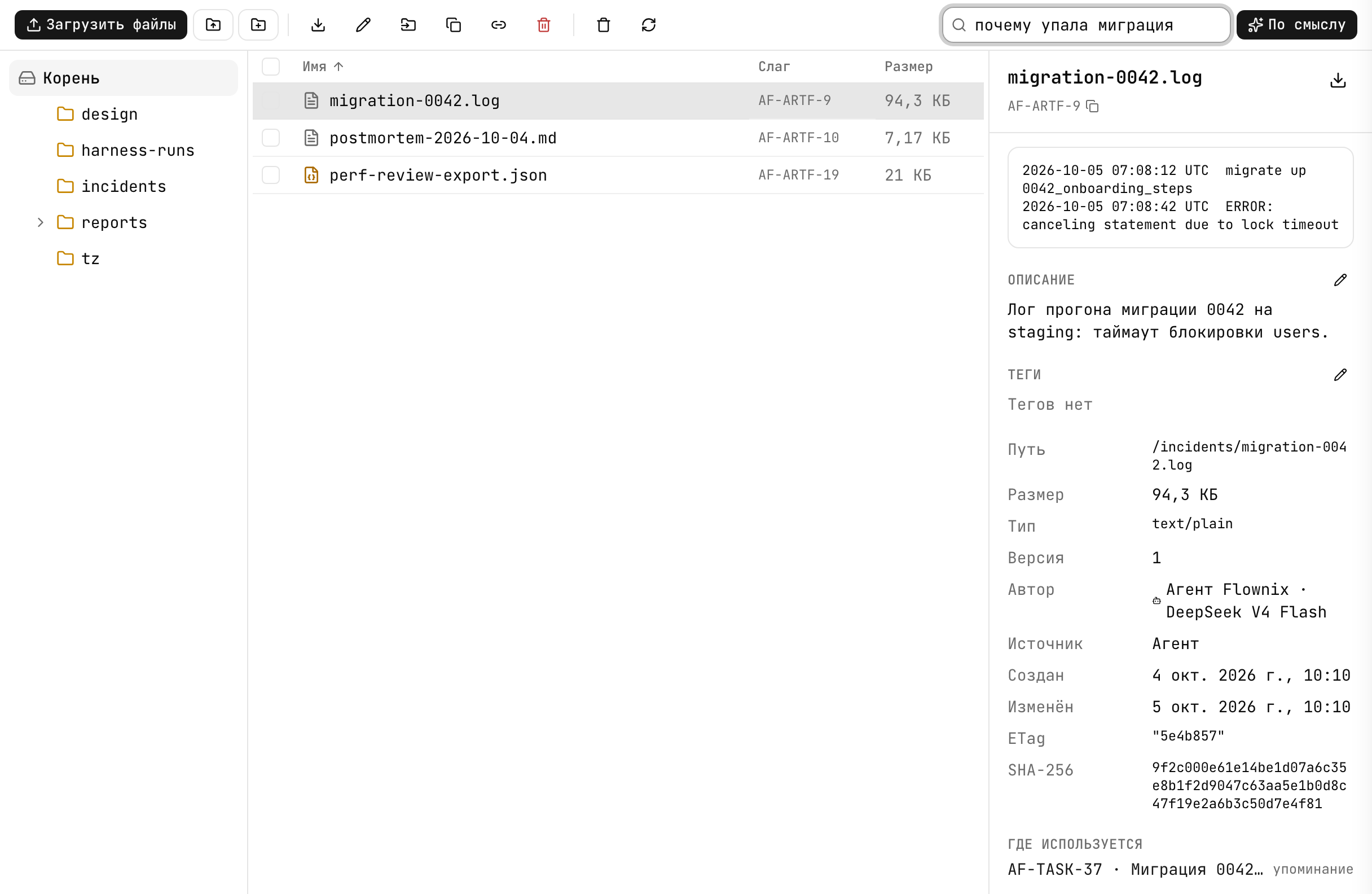
What you do: in Artifactory, switch search to "By meaning" and type "migration failed because of a lock". Or ask the agent: "Have migrations failed because of locks before?"
What you get. The October log in the top results, even though no word of the query matches
the file name migration-0042.log. "Where used" shows the task where it was fixed back then,
with the decision in a [decision] comment.
Where it doesn't fit. Search covers the name, folder, description and tags, but not the file contents. A log without a description won't be found by semantic search.
4. A new version of the requirements
Situation. The client sent the third revision of the requirements. Five features already reference the second one.
What you do: upload tz.md to the same folder as the previous revision, and when asked
"“tz.md” already exists in this folder", choose "New version".
What you get. The slug AF-ARTF-14 stays the same, and all five features reference the
current revision. "Versions" shows v1, v2, v3 — each can be downloaded. You can ask the built-in
agent: "Compare v2 and v3 of AF-ARTF-14 and tell me which features are affected" — the agent
reads both versions if they're text files.
5. Files between harness steps
Situation. The "Choosing an event store" harness: analyst → two critics → judge.
What happens:
- The analyst writes a comparison of the options, saves it through
artifact_uploadwithharness_run_idand completes the step withresult_artifact_ids: ["AF-ARTF-60"]. - Both critics receive
AF-ARTF-60in their step'sinput_artifact_idsautomatically, read it and save their critiques —AF-ARTF-61,AF-ARTF-62. - The judge receives all three files as input.
What you get. The run's files are in Artifactory with the source "Harness run", and each one lists the run under "Where used" with the kind "result". Six months later you can see not only the decision but also the analysis it rested on.
6. Quota cleanup
Situation. The quota indicator turned yellow: "Storage is more than 80% full".
What you do:
- Sort the table by the "Size" column in large folders — dumps and videos usually take up the space.
- Check "Where used": files nobody references are the first candidates.
- Delete what you don't need, then click "Delete forever" in the "Trash" — the space is freed immediately, not after 7 days.
Or ask the built-in agent: "Show me the 10 largest files nobody references." The agent deletes only after you click "Allow" for each file.
7. A screenshot for a bug
Situation. A tester found a layout bug.
What the tester does: drags the screenshot into the bugs/ folder, describes it as “The
"Save" button slides off the edge at 375 px”, and clicks "Attach from Artifactory" in the bug
task's description.
What you get. The assignee sees a chip with the file name right in the task; clicking it
opens the screenshot with a preview. An external agent given the task gets a download link
through artifact_download_url.