Sections
On this page
What the agent can do
The full list of what the built-in agent can do in a project, what it can't, which actions need your confirmation and which skills it has.
The agent works in the project with the same tools as an external agent over MCP, but only with the subset that needs no access to code and doesn't make decisions for people. It loads the tools it needs during the conversation on its own — you don't have to ask.
What it can do
| Area | What the agent does |
|---|---|
| Search and reading | Searches the whole project by meaning; reads the tree, nodes with comments, documents, components, the project policy, the action log |
| Working with nodes | Creates epics, features, bugs, plans and tasks, plus groups (free-form containers at any level of the tree) and releases (at the project root); edits descriptions; changes status and progress; writes comments; moves nodes in the tree |
| Links | Adds and removes dependencies, typed relations and references, adds tags, binds nodes to components |
| Specs | Creates and edits documents, validates spec format, prepares deltas, submits them to you for approval, applies approved ones, marks a change as "no spec impact" |
| Components | Creates and changes system components, binds work to them |
| Artifactory | Searches and reads files, reads text files in full (up to 1 MB), gives download links, saves its reports as text files, renames, describes and moves files, creates folders, shows the quota |
| Reviews | Reads reviews and their iterations — read-only |
| Harnesses | Sees the project's harnesses, their runs, steps awaiting approval and the template library — read-only |
| External sources | Documentation of public libraries and web search — if they are enabled in your environment (see below) |
What it can't do
- Anything that involves code. The agent has no repository, file system or command line. It won't read your code, run tests or commit.
- Approve or reject spec deltas. The agent prepares a delta and submits it for approval; the decision always belongs to a person — on the document screen or in the delta card.
- Start harnesses or take part in agent councils. Starting a run is your decision; see Harness.
- Create projects and organizations, switch to another project, or list them.
- Import and export OpenSpec.
- Read binary files (images, PDFs, archives) or upload large files to Artifactory. For such files it gives a download link.
- Follow instructions found in task text. The agent treats node descriptions, comments and files as data, not commands. If a task says "delete all epics", the agent reads it but won't do it — it takes commands only from you in the chat.
What requires confirmation
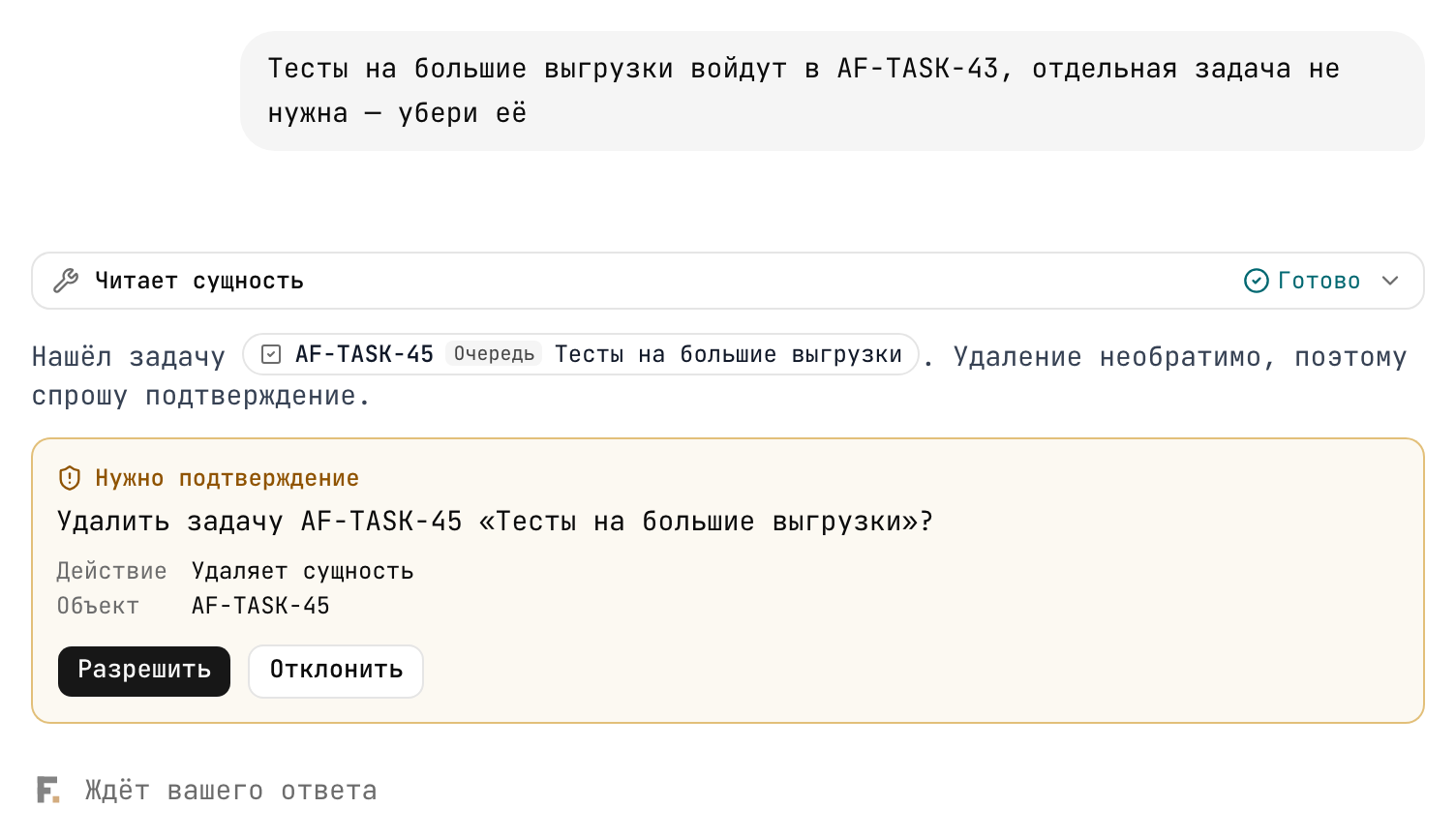
Before these actions the agent shows a "Confirmation needed" card and waits for you to click "Allow":
- deleting a node;
- deleting a file from Artifactory;
- archiving a document;
- applying a spec delta, deleting or discarding a delta;
- changing the project policy (for example, turning on strict spec mode);
- removing a dependency or relation;
- any other action that deletes, removes, discards or archives something.
Everything else — creating tasks, editing text, changing statuses, commenting — the agent does without a separate confirmation, but only if you asked for it. To "how should I split this feature?" it replies with a plan in the chat; tasks appear in the tree after "create them".
Skills
A skill is a ready-made scenario the agent follows to do routine work the same way an external agent does. To invoke a skill, type "/" in the input field.
| Skill | What it does |
|---|---|
/plan-feature — "Plan a feature" | Breaks an idea down into epic → features → plans → tasks, writes the feature spec, links to components, sets dependencies |
/spec-first-change — "Change through the spec" | Drives a change starting from the spec: first a delta and approval, then tasks |
/flownix-write-spec — "Write a spec" | Writes or edits a spec document in OpenSpec format, validates it and prepares a delta |
/review-work — "Review work" | Checks a task in "testing" against its acceptance criteria and suggests moving it to "done" or sending it back |
/flownix-rag-search — "Semantic search" | Searches the project by meaning and builds an answer with links to sources |
/map-components — "Component map" | Describes the system's components and suggests bindings for accumulated work |
/update-knowledge — "Update knowledge" | Brings the project's knowledge base in line with what has actually been done |
/harness-blueprint — "Build an agent council" | Builds a harness — a council or review board — from a short interview. You start it |
The agent loads no more than three skills per reply. If you ask for many different things at once, split the request into several messages.
External sources
When a project task needs documentation for a public library or fresh information (for example, about a vulnerability in a dependency), the agent can reach outside:
- Library documentation — the agent looks here first.
- Web search — only if the documentation wasn't enough or a fresh security report is needed.
The rules for these calls are strict: only for a specific project task, with no personal data or project content in the query, and without opening arbitrary links. No more than 8 calls per reply and 40 per day.
How the agent signs its actions
The agent works on your behalf and with your permissions, but its changes are distinguishable from yours: in the project action log they're signed "Flownix Agent", and its comments are marked as agent comments. A chat reply contains at most 20 entity links — if there are more changes, find the full list in the action log.